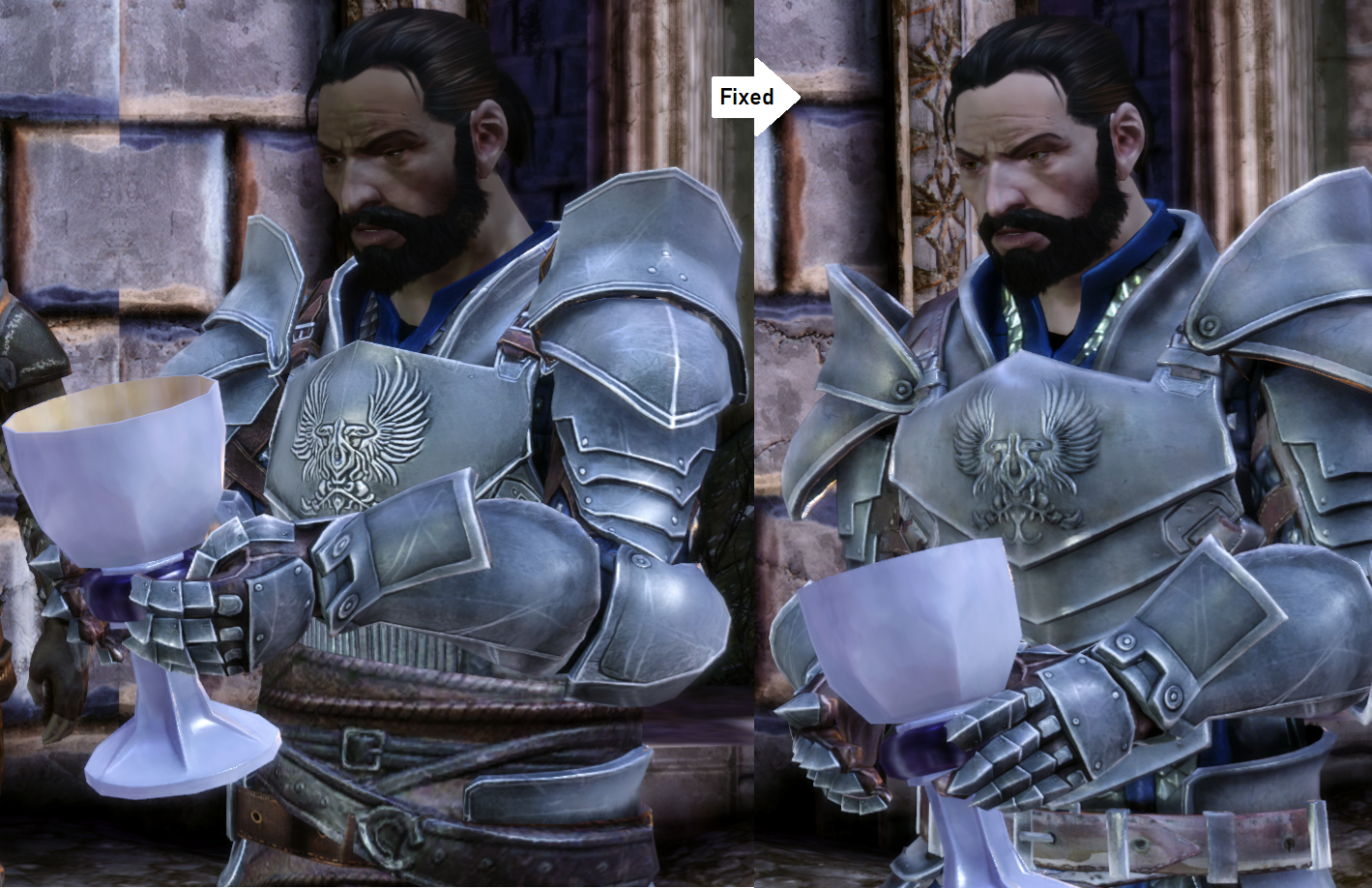
Overview
Instead of making a mod replacing the morph of all unwanted NPCs, turning it into a compatibility problem, this mod replace only the vanilla skins, wich apply to all NPCs.
There is a few existing mods adding new skin tones, the Pineappletree's Vibrant Colors Mod being the better one IMO.
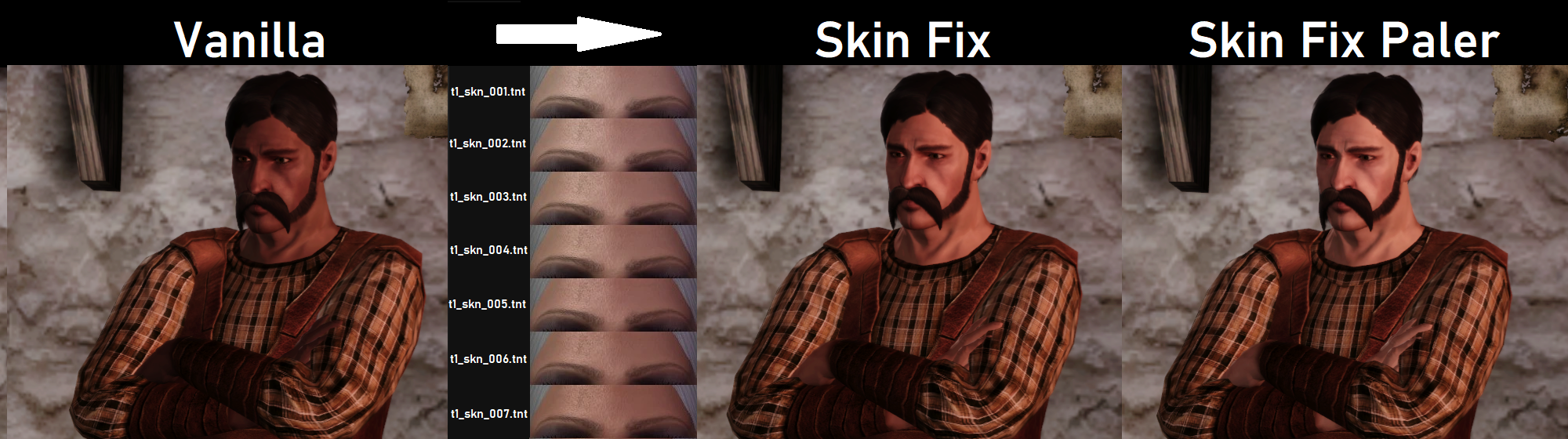
So I snatched 7 of it's tint and made them a Vanilla replacer.
There are about 52~ Cinematics that are video files, some may still display unwanted colors.
It is very easy ;
- Download yourself a Skin mod, I personally like the Pineappletree's Vibrant Colors one.
- Take from it the ones you want and make yourself a new folder with them.
- Rename the .tnt of your choice to whatever vanilla skin you want it to replace ; t1_skn_001/2/3/4/5/6/7.tnt
- Put the renamed .tnt in a folder at ;
Documents\BioWare\Dragon Age\packages\core\override
Testing skins can easily and quickly be done on Duncan through the Human Noble Origin, he show up right at the start.
Duncan uses the t1_skn_005.tnt tone.
But you can also do it wherever you like, it can be installed and uninstalled an any time.
Downloads
* 1.0.1 ;
Added an optional Paler version, at the cost of 2 duplicated skin tones.
Installation
- To install the mod, place the zSkin Fix folder in ;
Documents\BioWare\Dragon Age\packages\core\override
If there is no override folder, make it yourself.
- To uninstall simply remove the zSkin Fix folder.
Compatibility
Compatible with anything.
Just in case, the folder have been named "zSkin Fix" to take priority if another mod happen change the vanilla skin tones t1_skn_001/2/3/4/5/6/7.tnt
Browse For Other Mods Here
Instead of making a mod replacing the morph of all unwanted NPCs, turning it into a compatibility problem, this mod replace only the vanilla skins, wich apply to all NPCs.
There is a few existing mods adding new skin tones, the
Pineappletree's Vibrant Colors Mod being the better one IMO.So I snatched 7 of it's tint and made them a Vanilla replacer.
There are about 52~ Cinematics that are video files, some may still display unwanted colors.
How to make your own replacer ;
It is very easy ;
- Download yourself a Skin mod, I personally like the
Pineappletree's Vibrant Colors one.- Take from it the ones you want and make yourself a new folder with them.
- Rename the .tnt of your choice to whatever vanilla skin you want it to replace ; t1_skn_001/2/3/4/5/6/7.tnt
- Put the renamed .tnt in a folder at ;
Documents\BioWare\Dragon Age\packages\core\override
Testing skins can easily and quickly be done on Duncan through the Human Noble Origin, he show up right at the start.
Duncan uses the t1_skn_005.tnt tone.
But you can also do it wherever you like, it can be installed and uninstalled an any time.
Downloads
| Files | Version | Type | Description |
|---|---|---|---|
| Dragon Age Origins Skins Fixed | 1.0.1 | Main | Replace vanilla skin tones with paler ones, affect all NPCs using them. Optional paler version included, pick only one. |
Changelog
* 1.0.1 ;
Added an optional Paler version, at the cost of 2 duplicated skin tones.
Installation
- To install the mod, place the zSkin Fix folder in ;
Documents\BioWare\Dragon Age\packages\core\override
If there is no override folder, make it yourself.
- To uninstall simply remove the zSkin Fix folder.
Compatibility
Compatible with anything.
Just in case, the folder have been named "zSkin Fix" to take priority if another mod happen change the vanilla skin tones t1_skn_001/2/3/4/5/6/7.tnt
Browse For Other Mods Here